
Uploading files & videos
Uploading a file is easy, but it does require you to have PRO. Once you have PRO, you can attach audio, video, or other file types such as PDF! You can do so after your conversation is made, or before it's made either by making a draft or clicking New Conversation at the top of the left-side menu.
Via a draft or the New Conversation button
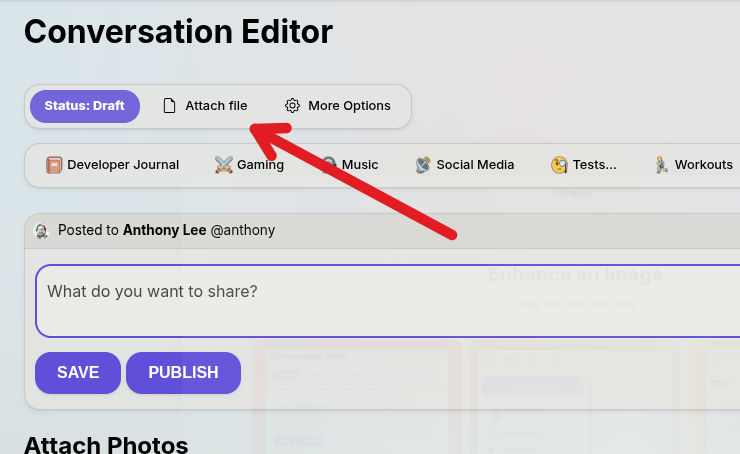
Once you open a post from the drafts, or use the full page New Conversation editor, click the button labeled "Attach file" at the top of the editor.
After conversation is posted
Once a conversation has been posted, you can click the "Options" button in the top right of the conversation and a menu will appear with several options. Clicking "Attach file" will bring up your devices file explorer. Once you attach a file, it will show up for users to see, and it will render a thumbnail if your content is a video.
Note: ⚠️ A warning may render on any attachment you upload before a user is allowed to open it for security reasons.