
Promoting a member to a moderator or admin
Sometimes with café moderation you need to add moderators or admins. This is a easy step and is needed for larger cafés especially if you get a lot of posts and comments.
Difference between moderator and admin
Moderators can hide content that breaks the rules, and they can access the moderator page via the left My Cafés tab or via Options on the café page. Admin's get more access and can access the full café settings and can change the name, avatar, alias. This is the same level as someone who creates a café gets by default.
How to change access
To give a user moderator or admin access it's the same steps. Go to the café moderator page, you can do this via the My Cafés link or go to the café and in the header click Options and click on Moderate. Once you are in the moderator menu here are the steps.
- Click on the
Memberstab at the top when on the moderation page. - Tap
Allor enter in the users name in search you want to change. - By tapping on the user you will see a new window show up called
Member details. From here tap on the optionMake Moderatorto promote the user.
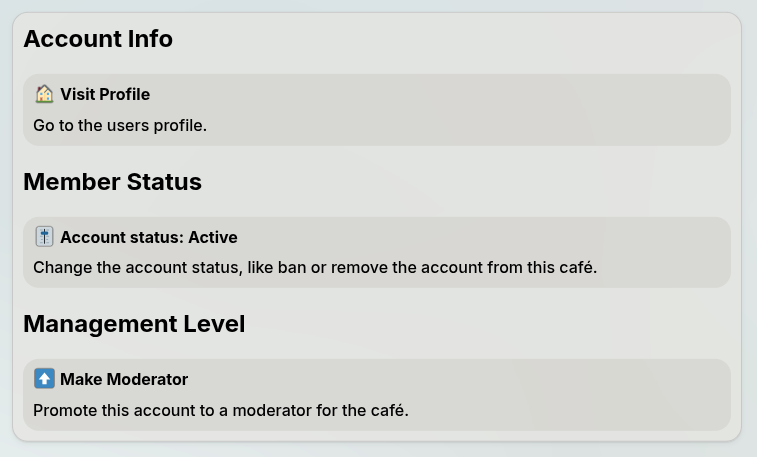
To give admin permissions just do the exact same thing again but this time it will say promote to admin. All users must be made moderator before they can be given admin.